USER MANUAL · TJ1GD REMOTE X6100
Filters and audio functions
The X6100 has three filters per mode and a dual passband filter (Twin PBT). The app shows it graphically and in numbers, changes it with buttons and checks every change on the radio.
FIL1, FIL2, FIL3
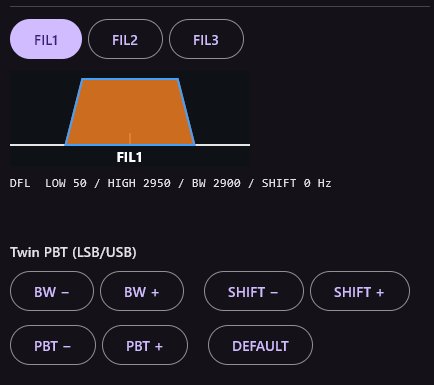
FIL1 FIL2 FIL3 select one of the radio's three filters for the current mode – like the FILTER buttons on the radio. The current one is highlighted. The status line says whether the radio confirmed the change (“potwierdzone przez radio”).
Passband picture and readback
Below the buttons is the filter picture – the same as on the radio's screen. The orange trapezoids are the two Twin PBT filters: P0 (blue edge) and P1 (red edge); you hear what is inside both. Scale −1200 to 4200 Hz.
Under the picture is the readback, e.g. DFL LOW 50 / HIGH 2950 / BW 2900 / SHIFT 0 Hz (LSB/USB) or CENTER … Hz (CW). It refreshes every second, so changes made with the radio's knobs show here too.
Twin PBT (LSB/USB)
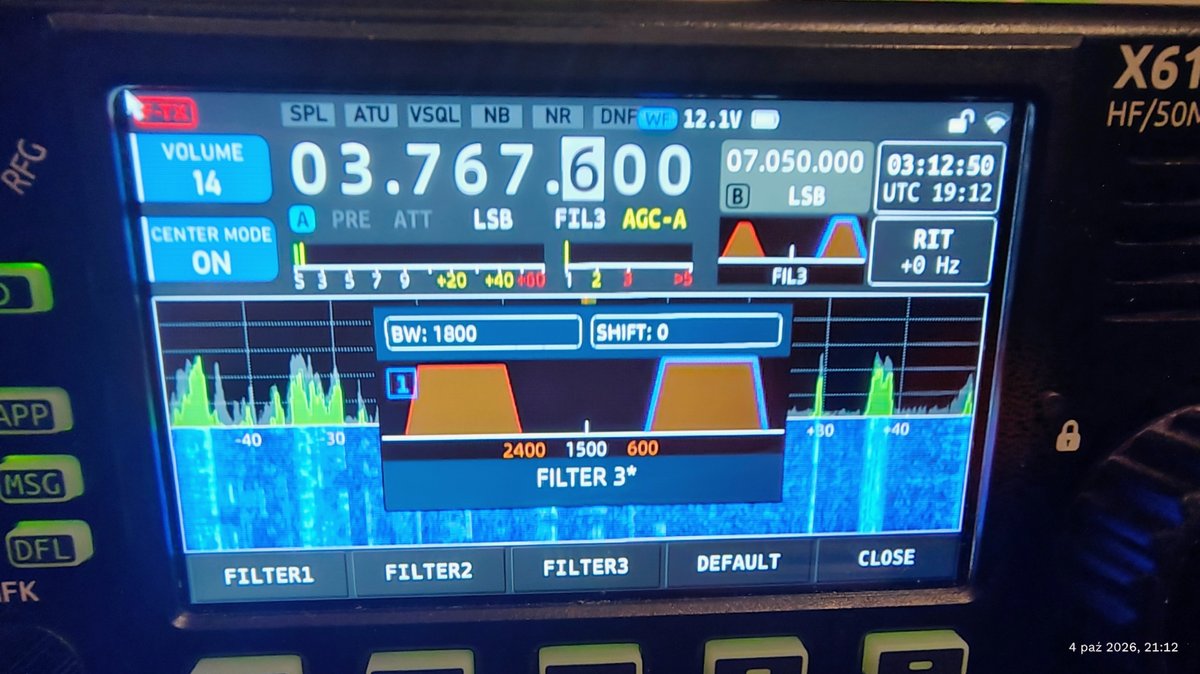
The buttons work in LSB and USB (also L-DIG and U-DIG), after the filter has been read from the radio:
| Button | Action |
|---|---|
| BW − / BW + | Narrows / widens the passband by 100 Hz (both filters around their centres). |
| SHIFT − / SHIFT + | Moves the whole passband 50 Hz down / up. |
| PBT − / PBT + | Moves P0 and P1 apart in opposite directions by 50 Hz – narrows the passband from one side, e.g. to cut interference right next to the signal. |
| DEFAULT | Restores the factory setting of the current filter: FIL1 50–2950 Hz, FIL2 300–2700 Hz, FIL3 600–2400 Hz. |
Range: edges in 10 Hz steps from −1200 to 4200 Hz, width 100–3000 Hz. At the limit you'll see “BW/SHIFT: granica zakresu” (range limit).
What the app adds to the radio's panel
- Exact numbers – edges, width and shift in hertz, read from the radio.
- Every change confirmed – the app checks the radio really set the filter (“potwierdzone przez radio” or “brak potwierdzenia”).
- One-click DEFAULT for the current filter.
- Automatic repair of separated passbands – when P0 and P1 no longer overlap (silence, “PASMA ROZŁĄCZNE (brak odbioru)”), the app restores the default after a filter switch.
- Passband on the spectrum – the shaded area around the red marker on the spectrum and waterfall shows what you actually hear.
- Remote – all of it works through a gateway, from anywhere.
AUDIO functions
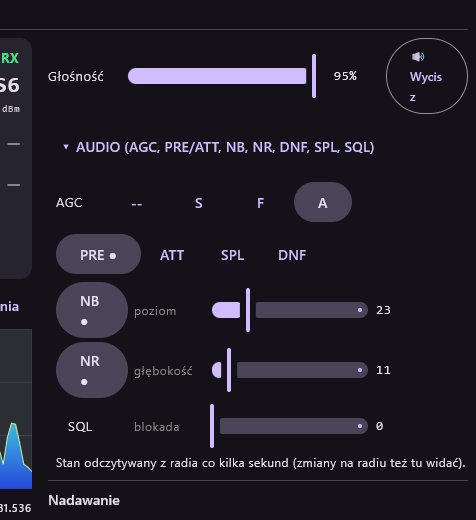
Expand ▸ AUDIO (AGC, PRE/ATT, NB, NR, DNF, SPL, SQL):
| Function | Settings |
|---|---|
| AGC | -- off, S slow, F fast, A auto |
| PRE / ATT | Preamp / attenuator |
| NB | Noise blanker, poziom (level) 0–100 |
| NR | Noise reduction, głębokość (depth) 0–60 |
| DNF | Automatic notch, środek (centre) 100–3000 Hz |
| SPL | Split |
| SQL | Squelch, blokada (level) 0–100 |
Sliders send the value when released. The state is read from the radio every few seconds, so changes made on the radio show here too.
Spectrum and waterfall
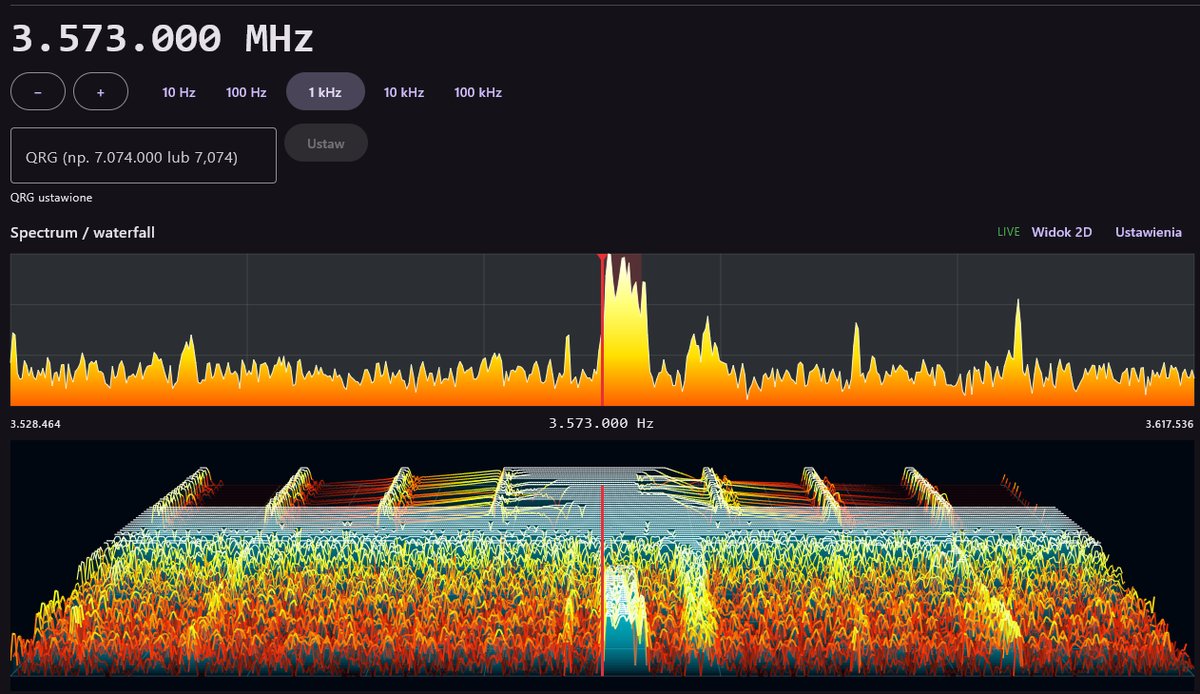
- Click the spectrum – tune there; drag horizontally – pull the spectrum; mouse wheel – tune by the selected step.
- CENTER – frequency always in the middle; off – the picture stays and the marker moves.
- SPAN: 5k, 10k, 20k, 50k, 89k (the radio's full width).
- Widok 3D / Widok 2D and Ustawienia (settings): palette, speed, level, high sensitivity, peak hold, QRG marker.